Instant picker
Global hotkeys open the picker anywhere. Browse with the keyboard and paste in miliseconds.
 ClippyDo
View screenshots
ClippyDo
View screenshots
Clipboard history for Windows
Capture text, images, paths, URLs with a lightning fast clipboard assistant.
Find instantly, preview comfortably,
and paste exactly what you need without breaking your flow.
Or... let ClippyDo take your flow to the next level!
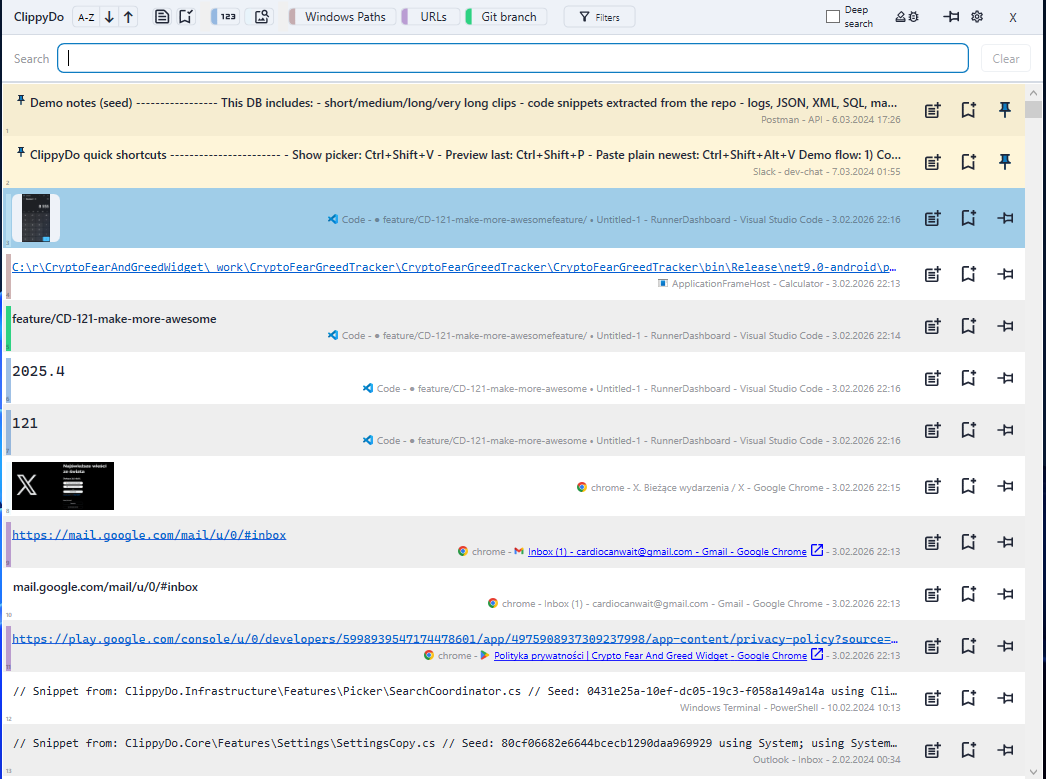
Numbers, images, file paths, or custom rules.
Peek clips without clicks,
See difference between texts instantly
Access key features in miliseconds!
ClippyDo will not send your clipboard anywhere, ever!
Fast search and filters keep your flow uninterrupted.
Designed around speed and clarity for developers, writers, engineers, and anyone who uses computers to work.
Global hotkeys open the picker anywhere. Browse with the keyboard and paste in miliseconds.
Filter by images, numbers, file paths, or your own rules to pinpoint the right clip.
Add notes, pin essentials, and color code bookmarks so important clips stay visible.
Select two clips to compare side by side with a clear diff view. Or call your favourite comparison tool
Color scheme which helps you find what you need at a glance.
Set your hotkeys, pasting preferences, external applications and app behaviour.
Save images from the clipboard, copy their paths, or open file paths instantly.
Propose or vote on your ideas!
ClippyDo is built for people who move fast and don't waste time.
ClippyDo quietly captures every clipboard entry in the background, locally.
Trigger a hotkey to open the list right where you are working.
Drill into clips with filters, previews, notes, and instant search.
Paste plain text, compare versions, or keep clips pinned for reuse.
Turn your clipboard into a safe and organized warehouse of data and context
Search, filter, and act on clips in a single focused view.
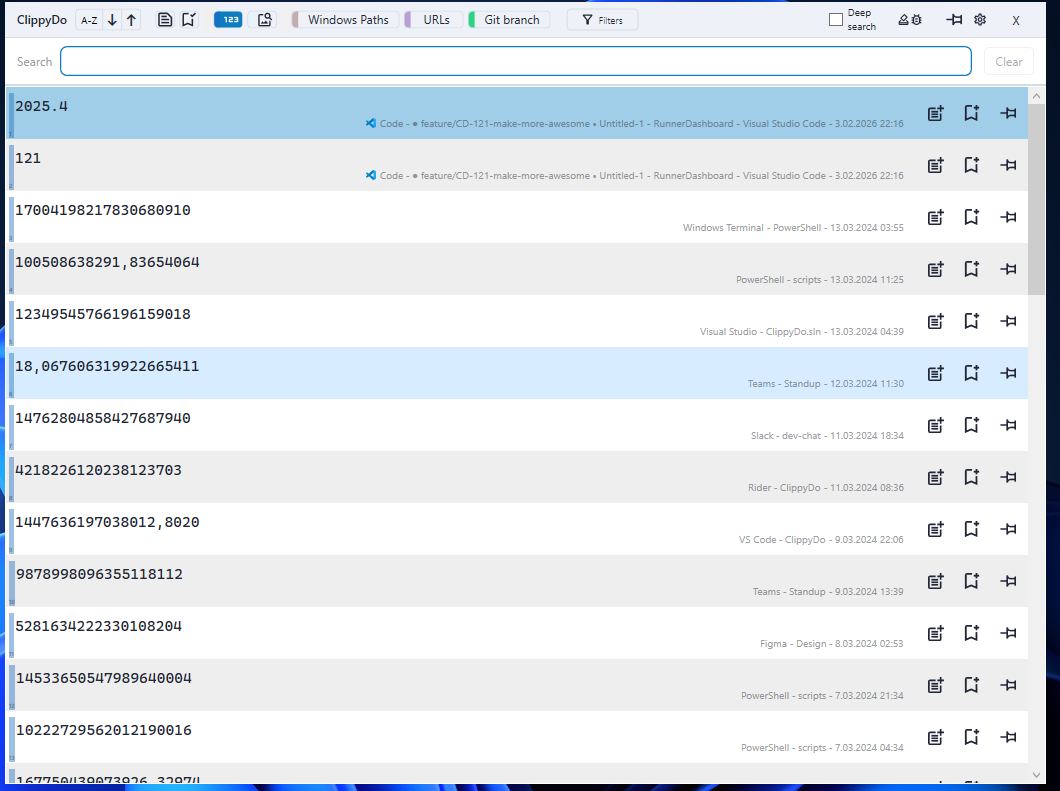
Use built in filters for common content like images, numbers, paths or links..
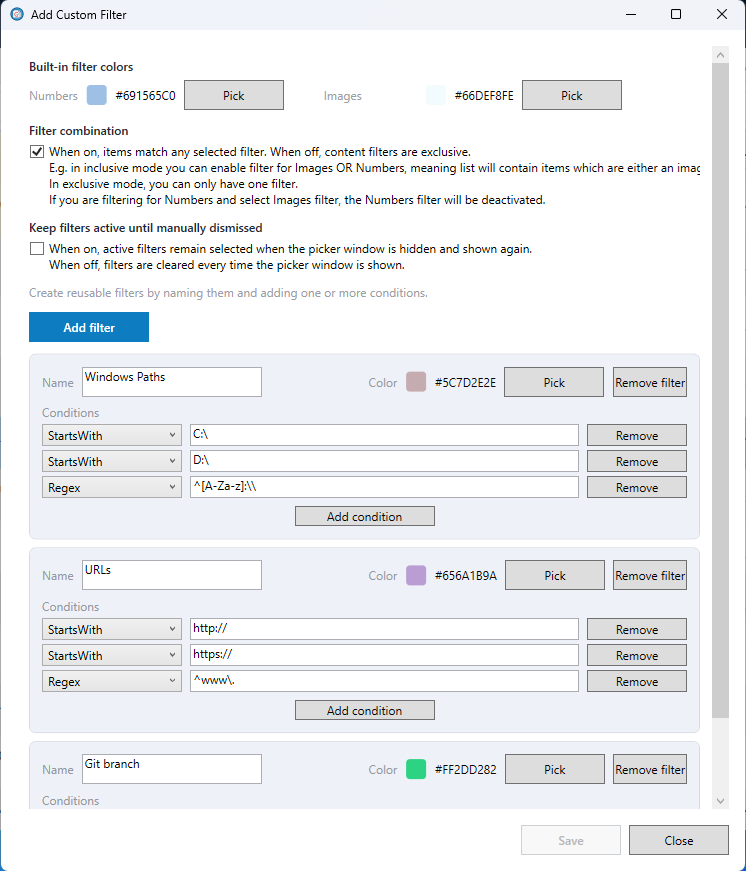
...Or easily define your own custom filters.
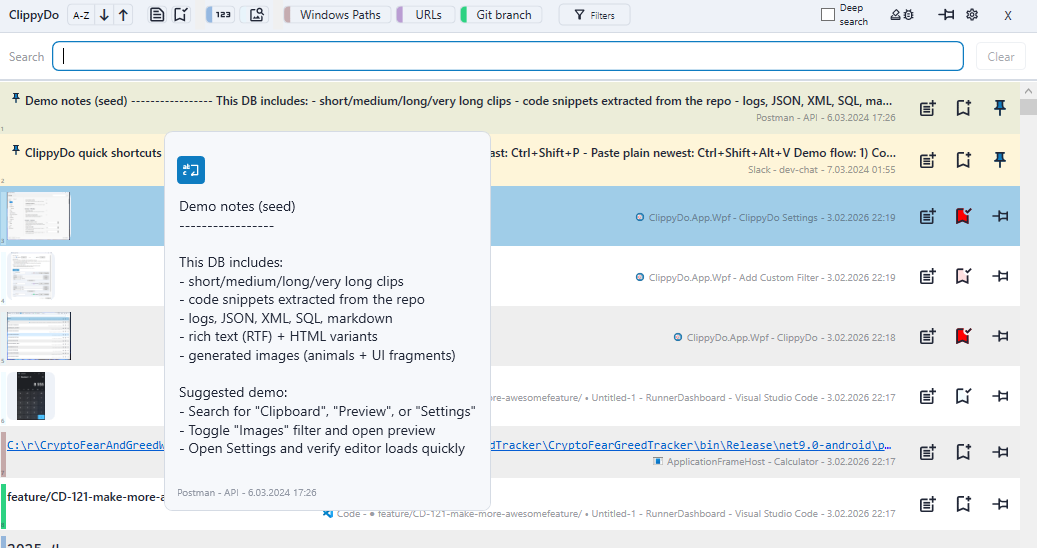
See long clips a tooltip or open up a preview window with built in search, formatting and editing features.
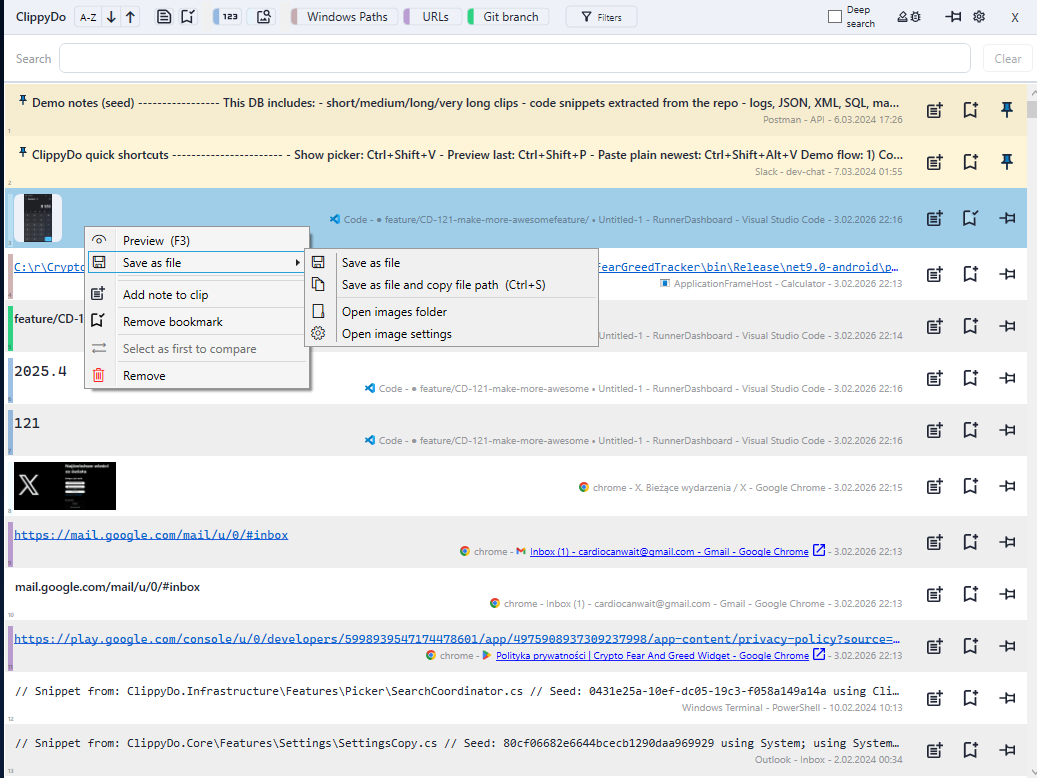
Add bookmarks, notes, edit content or export your data as files.
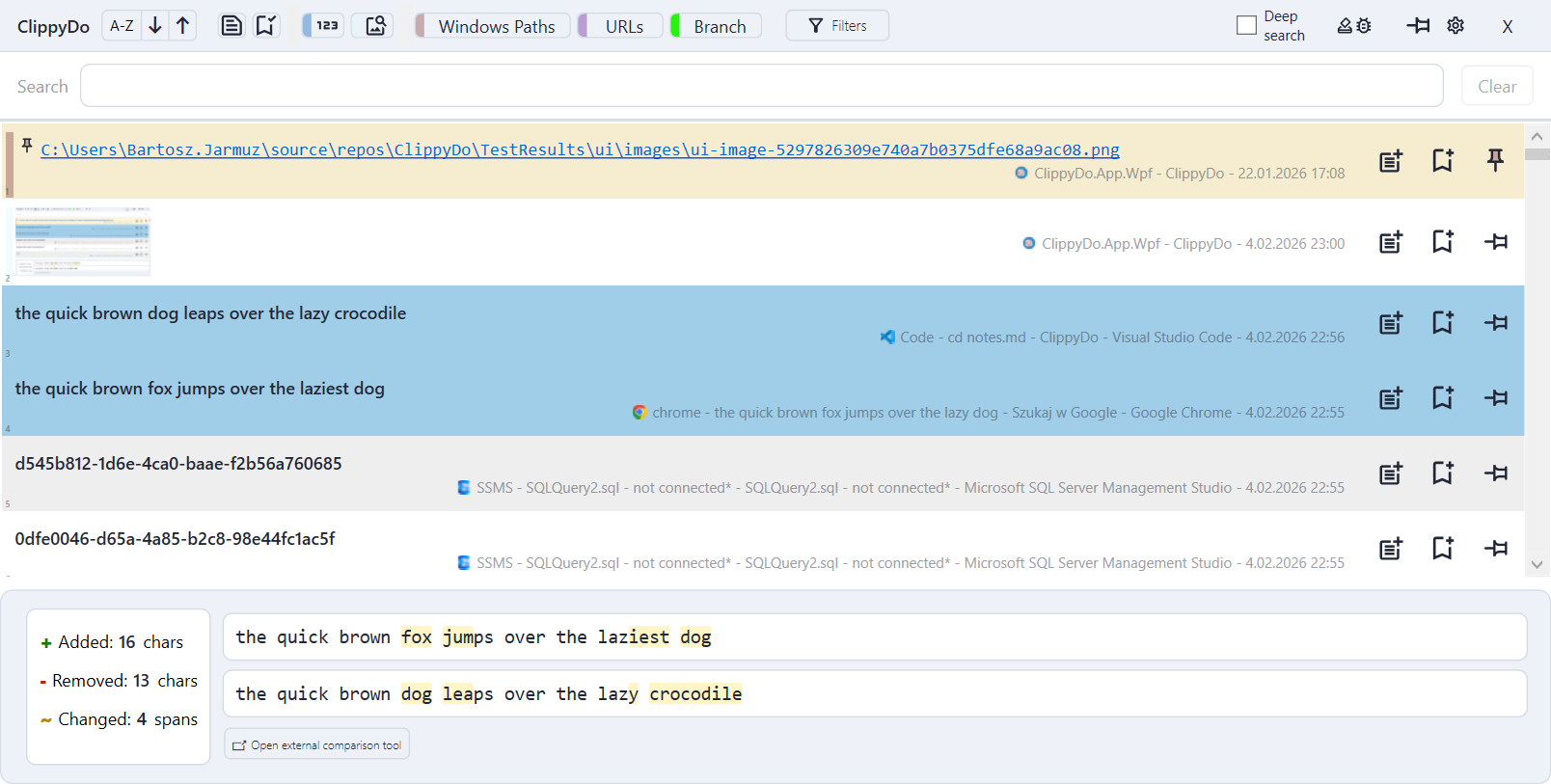
Select two clips to compare them in Clippy... or open up your favourite comparer tool for longer content
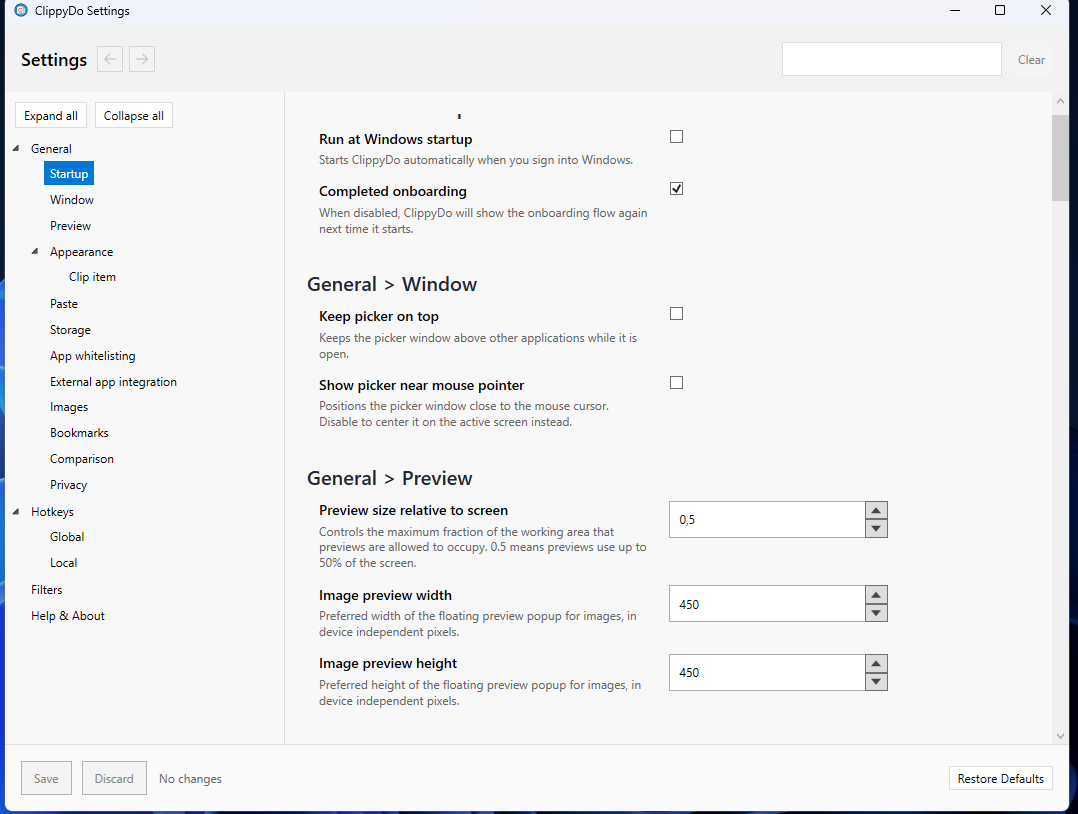
Adjust global and local hotkeys to match how you work, along with other settings to make Clippy truly yours!
ClippyDo never sends clipboard content anywhere. Optional usage statistics is anonymized and only used to understand feature usage and errors.